Table of Contents
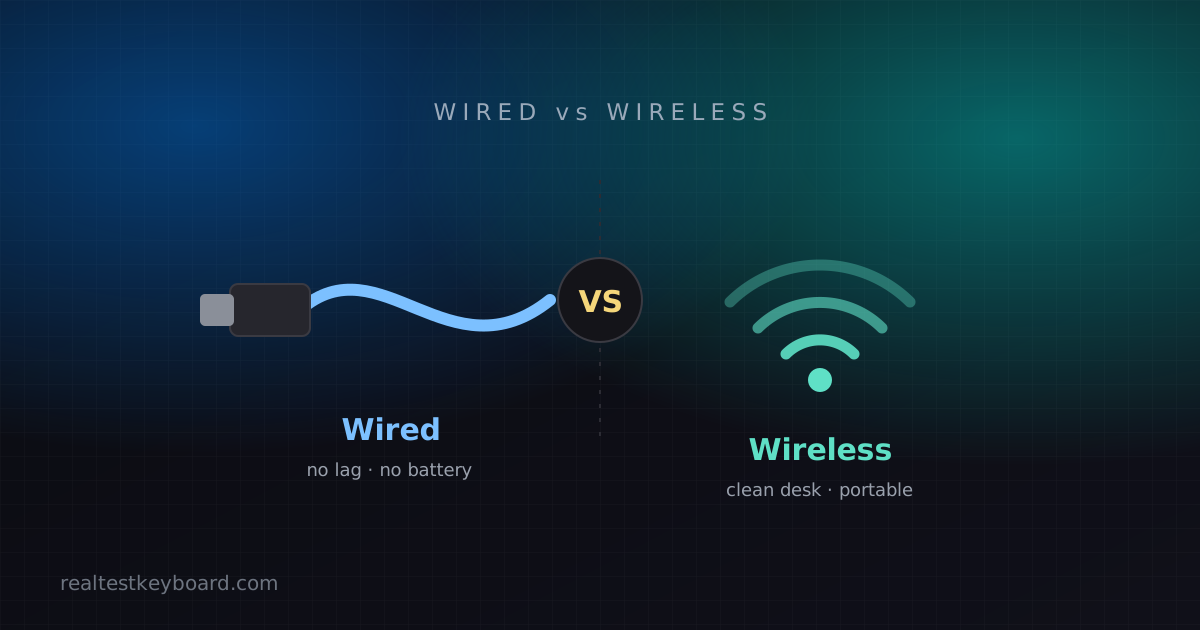
The wired-versus-wireless debate is stuck a decade in the past. A lot of the advice floating around — “wireless always lags,” “serious users go wired” — was true once and mostly isn’t anymore. Modern wireless keyboards have closed the gap to the point where, for most people doing most things, the connection type is a matter of preference rather than performance. But “most” isn’t “all,” so let’s look at where each one genuinely wins.
The latency question, honestly
This is the argument wireless supposedly loses, so let’s settle it. There are two kinds of wireless. A 2.4 GHz dongle connection — the little USB receiver that comes with gaming keyboards — is now so fast that in blind tests even competitive players struggle to feel a difference from wired. Bluetooth is a step behind: it adds a small amount of latency and can hesitate for a fraction of a second when a key wakes the connection from idle. For typing, browsing, and ordinary work, that’s completely invisible. For high-level competitive gaming, a wired or premium 2.4 GHz connection is still the safe choice — not because Bluetooth is unusable, but because you don’t want to think about it.
Reliability and the battery tax
Here’s where wired keeps a real, permanent edge: it always just works. Plug it in and it’s on, forever, with nothing to charge and nothing to pair. A wireless keyboard adds a small ongoing tax — batteries to replace or recharge, an occasional re-pair, and the once-a-year moment where it drops out and you can’t remember why. None of this is a big deal, but it’s a non-zero amount of fuss that wired simply doesn’t have.
Battery life varies enormously. A keyboard with the backlight off can run for months on a charge; crank the RGB up and you might be charging weekly. If you go wireless, treat “battery life with lighting on” as the honest number, not the headline figure.
What wireless buys you
Freedom, mostly, and it’s nicer than it sounds. No cable means a cleaner desk, an easy lift-and-reposition when you want the keyboard on your lap, and no tug-of-war with the mouse cord. The bigger modern perk is multi-device switching: many Bluetooth keyboards pair with three devices at once and hop between your laptop, tablet, and phone at the press of a button. If you bounce between machines all day, that alone can sell you on wireless.
Price and security, briefly
Wired keyboards are generally cheaper at the same quality tier — you’re not paying for a radio and a battery. On security, wireless has a theoretical weakness in that its signal travels through the air, but any reputable modern keyboard encrypts that link, and this is not something a normal user needs to lose sleep over. Buy from a known brand and it’s a non-issue.
Two practical checks before you buy
Count your ports. A 2.4 GHz dongle takes up a USB port permanently, which matters on a laptop that only has one or two to begin with — a Bluetooth board leaves them free. And if raw performance is your worry, know that for typing the connection makes no measurable difference: your words-per-minute on a typing test will be identical wired or wireless. Latency only enters the conversation for fast-twitch gaming, never for how quickly you can get a sentence down.
So which should you get?
Match it to how you work:
- Competitive or twitchy gaming → wired, or a premium 2.4 GHz wireless board designed for gaming. Skip Bluetooth for this.
- Typing, office work, home use → wireless is genuinely fine, and the tidy desk is a real quality-of-life win.
- You switch between a laptop, tablet and phone → Bluetooth multi-device, no contest.
- Set-and-forget simplicity on a budget → wired. Nothing to charge, nothing to pair, cheaper to boot.
Note that this choice is separate from mechanical versus membrane — you can get either connection with either mechanism, so decide feel and connection independently. Our mechanical vs membrane guide covers the first half of that decision, and if gaming is your priority, the gaming keyboard buying guide goes deeper on what else matters.
Whichever you land on, run a quick keyboard test the day it arrives. A wireless board with a flaky key or a marginal dongle connection is far easier to return in week one than to argue about in month three.
Test every key directly in your browser
Detect stuck keys, key chatter, input latency, and full rollover with our instant, zero-download diagnostic tool.
Start Keyboard Test →