Table of Contents
Wrist pain has a way of creeping up on you. There’s no single moment it starts — just a dull ache after a long day that you brush off, until one week it doesn’t go away overnight. If that sounds familiar, the good news is that a lot of typing strain comes down to how your hands meet the keyboard, and most of that is adjustable without spending a penny.
A quick, important caveat before the tips: persistent pain, tingling, or numbness isn’t something to self-treat from a blog post. If symptoms carry on or get worse, see a doctor or physiotherapist. What follows helps prevent everyday discomfort and stops small problems becoming big ones — it isn’t a substitute for medical advice.
Keep your wrists neutral
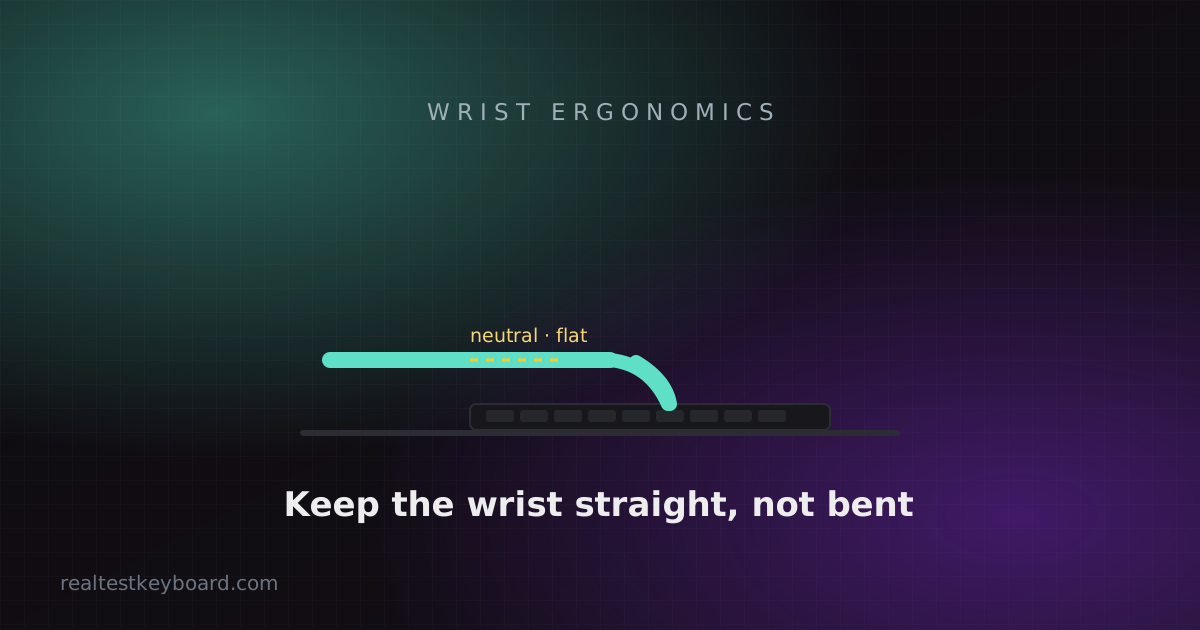
The single most important idea in keyboard ergonomics is a neutral wrist: your hand roughly in line with your forearm, not bent upward, downward, or cocked out to the side. When you break that line — especially by extending your wrists up to reach the keys — you compress the tendons and nerves running through them, and hours of that is what leads to trouble.
Watch your hands while you type for a moment. If your wrists angle upward toward the keyboard, that’s the habit to fix first.
Flip the feet the other way
Here’s the counterintuitive one. Almost every keyboard has little flip-out feet that tilt the back up, and almost everyone uses them — which tilts the keyboard toward you and forces your wrists to bend upward to reach the keys. That’s the opposite of neutral.
A flat keyboard is better than a back-tilted one, and a slight negative tilt (front raised, back lowered, so the board slopes away from you) is better still, because it lets your wrists stay flat or even drop slightly. If your desk setup allows it, aim for flat-to-negative rather than the default positive tilt. Your wrists will thank you within a few days.
Get the height and distance right
Your forearms should be roughly parallel to the floor when your fingers are on the home row, with your elbows at about a 90-degree angle and your shoulders relaxed, not hunched up toward your ears. If the keyboard sits too high you’ll shrug; too low and you’ll slump. For a lot of people the fix is lowering the keyboard — a keyboard tray under the desk, or simply a lower desk — rather than raising the chair until their feet dangle.
Wrist rests: for resting, not typing
This trips people up. A padded wrist rest is meant to support your palms during pauses, not to plant your wrists on while you’re actively typing. Anchoring your wrists and reaching for keys by flexing your fingers and bending your wrists is exactly the strain you’re trying to avoid. Ideally your hands float a little above the board as you type, moving from the elbows. Think of it as a palm rest for the gaps between bursts of typing.
Consider a split or tented keyboard
If you type all day and standard boards still bother you, an ergonomic keyboard is worth a look. Split designs let each half sit shoulder-width apart, so your wrists don’t have to angle inward to reach a keyboard that’s narrower than your shoulders. Tented designs raise the middle so your palms face slightly inward — the natural “handshake” position — instead of being forced flat. They look strange and take a week or two to adapt to, but people with real discomfort often find them transformative.
Type lighter, and use lighter switches
Many of us hammer the keys far harder than needed, bottoming out every keystroke against the desk. Consciously typing with a lighter touch reduces the impact travelling into your fingers and wrists. Hardware helps here too: lighter mechanical switches actuate with less force, so there’s less to push against all day — one of the practical differences we cover in the switch guide.
Take breaks — they matter more than gear
No setup is healthy if you hold it motionless for eight hours. Short, frequent breaks beat the occasional long one: stand, shake out your hands, and roll your shoulders every half hour or so. Building smoother, more relaxed technique helps too, and it happens to make you faster — the same habits that improve typing speed tend to reduce strain, because tension and inefficiency go hand in hand. If you want a baseline, a quick typing test taken while you focus on staying relaxed is a surprisingly good check on whether you’re forcing it.
Test every key directly in your browser
Detect stuck keys, key chatter, input latency, and full rollover with our instant, zero-download diagnostic tool.
Start Keyboard Test →