Table of Contents
If you’ve ever taken a typing test and wondered whether your score is any good, you’re not alone. “What is a good typing speed?” is one of the most common questions people ask after seeing their words-per-minute for the first time. The honest answer is that it depends on who you are and what you type — but there are clear, well-established WPM standards that tell you where you stand. This guide explains those benchmarks and what each level really means.
How typing speed is measured
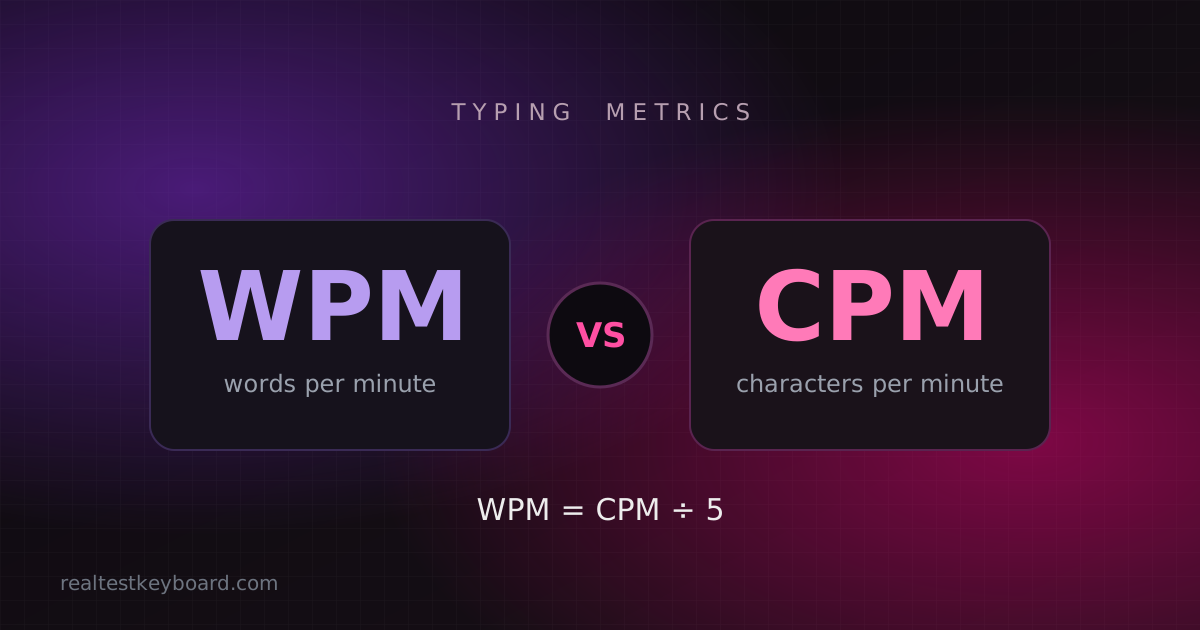
Typing speed is measured in words per minute (WPM), where one “word” is standardised as five characters, including spaces and punctuation. That standard keeps scores comparable no matter how long the actual words are. Most tests also report accuracy as a percentage, and the fairest ones show net WPM — your speed after mistakes are subtracted. A blazing gross speed with lots of errors isn’t as useful as a slightly slower, accurate one.
You can measure your own score in under a minute with an online typing speed test.
What is a good typing speed?
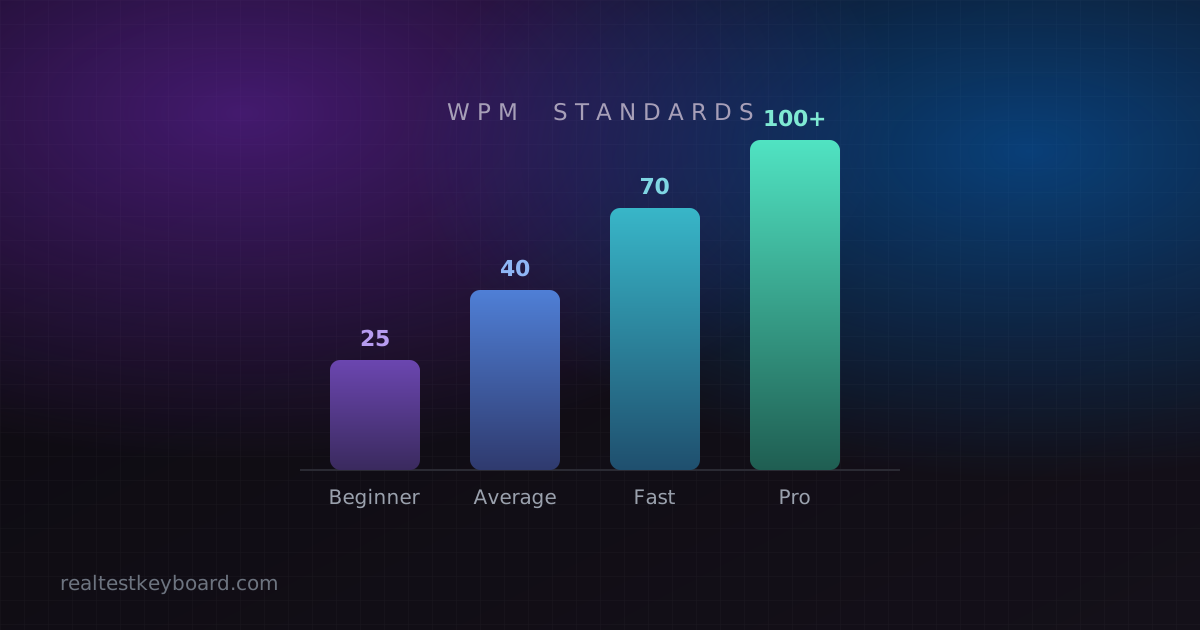
Here’s the short version: the average typing speed is around 40 WPM. Anything meaningfully above that is good, and 65–70 WPM or higher puts you well ahead of most people. Below are the common tiers and what they signify.
Beginner: 15–30 WPM
This is typical for people still hunting and pecking, or those new to a keyboard. Everything works, it’s just slow and eyes stay on the hands. There’s huge room to grow here, usually just by learning to touch type.
Average: 35–45 WPM
Most everyday computer users land in this range. It’s functional for email, browsing and casual writing. Many people never move past it simply because they never train deliberately.
Above average / good: 50–70 WPM
At this level you’re touch typing with decent accuracy and rarely glancing down. This is a genuinely good typing speed and comfortably fast for most office work, writing and studying.
Fast / professional: 70–90 WPM
This is the range expected of professional typists, transcribers, writers and many programmers. Typing keeps pace with your thoughts, and the keyboard stops being a bottleneck.
Expert / elite: 90–120+ WPM
Competitive typists and the fastest professionals live here. Reaching it takes years of accurate practice and excellent technique. For reference, the fastest verified typists exceed 200 WPM in short bursts — impressive, but far beyond what anyone needs day to day.
What affects your typing speed
Your number isn’t fixed. Several things influence it:
- Technique — touch typists are far faster than hunt-and-peck typists.
- Familiarity with the text — copying simple prose is quicker than technical material full of symbols and numbers.
- The keyboard — a comfortable, responsive board helps; a faulty one hurts. If a key chatters, your accuracy (and net WPM) drops, so it’s worth running a quick keyboard test if your score seems oddly low.
- Practice and fatigue — speed rises with training and dips when you’re tired.
Why accuracy matters as much as speed
A common trap is chasing a big WPM number while ignoring mistakes. Each error you have to go back and fix can cost more time than several correct keystrokes. That’s why net WPM — speed after errors — is the figure worth watching. Aim for 95% accuracy or better, then build speed on top of that solid base. A steady 60 WPM at 98% accuracy beats a frantic 80 WPM at 85%.
How to find and improve your own speed
Getting your baseline is easy: take a typing speed test and note both your WPM and your accuracy. Then retest weekly rather than daily — progress shows up clearly over weeks. If you want to climb the tiers above, our guide on how to improve your typing speed lays out ten proven tips and a short daily routine.
It also helps to understand the metric itself. If you’ve seen typing tools report CPM instead of WPM and weren’t sure how they relate, our explainer on WPM vs CPM clears it up.
Conclusion
So, what is a good typing speed? Around 40 WPM is average, 50–70 WPM is good, and 70+ WPM is professional territory. But the best target is the one just above where you are now. Measure your baseline with a typing test, keep your accuracy high, and practise consistently — the tier you’re in today is only the tier you’re starting from.
Test every key directly in your browser
Detect stuck keys, key chatter, input latency, and full rollover with our instant, zero-download diagnostic tool.
Start Keyboard Test →