Table of Contents
FPS and refresh rate get used almost interchangeably, and that’s the root of a lot of confusion about why a game feels smooth, why video tears, or why a “144 Hz” screen doesn’t automatically look faster. They are two genuinely different numbers describing two different halves of the same process: one is how many frames the source produces, the other is how often the display redraws itself. Understanding FPS vs refresh rate — where each comes from, how they interact, and what happens when they don’t match — clears up most of it. This is a conceptual guide rather than a how-to, so it focuses on what the numbers actually mean and why the relationship between them decides what you see.
Two numbers, two different jobs
The cleanest way to keep them straight is to remember which side of the screen each one describes.
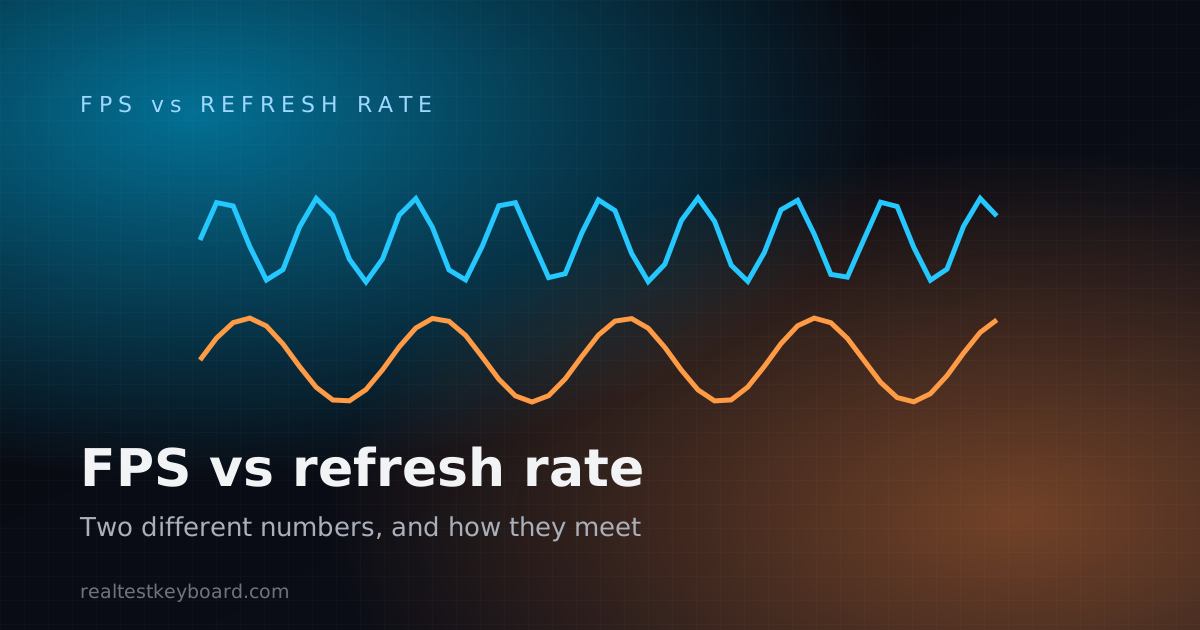
Frame rate (FPS) is a property of the source — the game, the video, the animation. It’s how many complete images that source finishes and hands over each second. A game engine that renders 90 distinct frames in a second is producing 90 FPS. This number rises and falls with how hard the content is to produce and how capable the hardware doing the work is.
Refresh rate (Hz) is a property of the display. It’s how many times per second the panel redraws its picture, and it’s essentially fixed by the hardware — a 60 Hz monitor refreshes 60 times a second, a 144 Hz monitor 144 times, whether or not there’s anything new to show. Hz describes the screen’s rhythm; FPS describes how fast content is being made for it.
They share a unit in spirit — “times per second” — which is exactly why they get muddled. But one is supply (frames produced) and the other is demand cadence (refresh slots available).
How the two numbers meet
A frame only becomes something you see when the display refreshes and shows it. So the interesting behaviour is always at the hand-off between the source’s FPS and the display’s Hz.
When FPS is higher than the refresh rate
Say a game runs at 120 FPS on a 60 Hz screen. The display can only show 60 images a second, so it physically cannot present all 120. Half of those rendered frames never appear in full — the extra work is, in a sense, wasted on that panel. This is why “120 FPS on a 60 Hz display isn’t fully seen”: the frames exist, but the screen has no slot to show most of them.
You do sometimes get a partial benefit. Without synchronisation, the display may start drawing one frame and switch to a newer one partway down the screen, which brings us to tearing.
Screen tearing
Tearing happens when the display refreshes in the middle of receiving a new frame, so the top of the screen shows one frame and the bottom shows the next. You see a horizontal seam, especially during fast horizontal motion. It’s the visible symptom of FPS and refresh rate running out of step with no synchronisation between them.
Vsync — forcing them into step
Vertical sync (vsync) is the traditional fix. It tells the source to only present a completed frame at the moment the display refreshes, which eliminates tearing. The trade-off is that it effectively caps FPS at the refresh rate — with vsync on, a 60 Hz display won’t show more than 60 FPS, because frames are only handed over on refresh boundaries. If the source can’t keep up with the refresh rate, vsync can also force it to wait, which is felt as added latency or a drop to a lower effective rate.
This is exactly why a browser-based FPS measurement tops out at your refresh rate: browser animations are vsync-synchronised, so the frames-per-second you can measure in a page are bounded by how often the display refreshes.
When FPS is lower than the refresh rate
The reverse case — a 144 Hz display fed only 45 FPS — doesn’t tear, but it doesn’t feel like 144 Hz either. The display keeps refreshing 144 times a second, but many of those refreshes just repeat the last frame because no new one is ready. Motion looks only as fluid as the 45 frames actually being produced. A high refresh rate is a ceiling for smoothness, not a guarantee of it; the source still has to fill those slots.
Variable refresh rate — letting Hz follow FPS
Modern displays with variable refresh rate (marketed as G-Sync or FreeSync) flip the relationship: instead of the source syncing to a fixed refresh, the display adjusts its refresh rate on the fly to match the incoming frame rate within a supported range. When it works, that removes both tearing and the vsync latency penalty, because the two numbers are matched dynamically rather than one being forced to the other.
What each number is actually measured with
Because they describe different things, they’re measured differently.
Refresh rate is a display capability. It’s what your operating system’s display settings report and set, and what a panel’s specification advertises. But the advertised, the configured, and the delivered rate can differ — power-saving modes and cables can quietly lower it. Confirming the rate your screen is really running is its own task; a refresh rate test checks the live figure your display is delivering.
Frame rate is measured at the source. In a browser, that’s done with requestAnimationFrame timing, which records the interval between repaints and converts it to FPS — the approach explained in detail in the display FPS test guide. Because that method is vsync-synchronised, what it reports is the frame cadence actually reaching the screen, which is why it can never exceed the refresh rate.
One honest limit applies to both: a web page can time frames and read the display’s refresh cadence, but it cannot read your GPU’s temperature, utilisation, VRAM, or power draw. Those aren’t exposed to browsers, so any number of that kind would be a guess.
Which one should you care about?
It depends on what you’re chasing. If motion looks choppy, a low frame rate from the source is the usual cause — the content isn’t being produced fast enough, no matter how good the display is. If you see tearing, it’s a synchronisation issue between the two, addressed with vsync or variable refresh. And if you paid for a high-refresh display but it doesn’t feel different, check that it’s actually set to its high refresh rate and that the source is producing enough frames to use it. The two numbers only deliver smooth motion when they’re both high enough and reasonably in step.
Frequently asked questions
Are FPS and refresh rate the same thing?
No. FPS is how many frames the source (a game, video, or animation) produces each second; refresh rate is how many times per second the display physically redraws. One is about content being made, the other about the screen showing it. They’re related and share a “per second” feel, but they’re separate numbers.
Can FPS be higher than the refresh rate?
The source can produce more frames than the display can show, so a game can render 120 FPS on a 60 Hz panel. But the display can only present frames at its refresh rate, so most of those extra frames never appear in full. Without synchronisation the mismatch shows up as tearing; with vsync the frame rate is capped to the refresh rate.
Is a 144 Hz monitor pointless if my frame rate is low?
Largely, yes, for smoothness — a high refresh rate only helps when the source produces enough frames to fill those extra refreshes. Fed 40 FPS, a 144 Hz screen mostly repeats frames and looks about as fluid as 40 FPS. The refresh rate raises the ceiling; the frame rate determines how much of it you use.
What causes screen tearing, and does vsync fix it?
Tearing happens when the display refreshes partway through receiving a new frame, showing pieces of two frames at once. Vsync fixes it by only presenting completed frames on refresh boundaries, at the cost of capping FPS to the refresh rate and sometimes adding latency. Variable refresh rate solves it a different way, by matching the display’s refresh to the incoming frame rate.
Why does my browser cap FPS at my refresh rate?
Browser animations use vsync-synchronised timing, so frames are only presented when the display refreshes. That means the frames-per-second you can measure in a page are bounded by how often the screen refreshes — 60 Hz tops out near 60 FPS, 144 Hz near 144, and so on.
FPS and refresh rate are a pair: one counts the frames your source makes, the other counts how often your screen can show them, and smooth motion needs both to line up. When something looks off, decide which number is the problem before chasing a fix — measure the frame cadence with the display FPS test, confirm your panel’s live rate with the refresh rate test, and if the source itself is the bottleneck, the guide on testing GPU performance in your browser covers where those frames come from.
Test every key directly in your browser
Detect stuck keys, key chatter, input latency, and full rollover with our instant, zero-download diagnostic tool.
Start Keyboard Test →